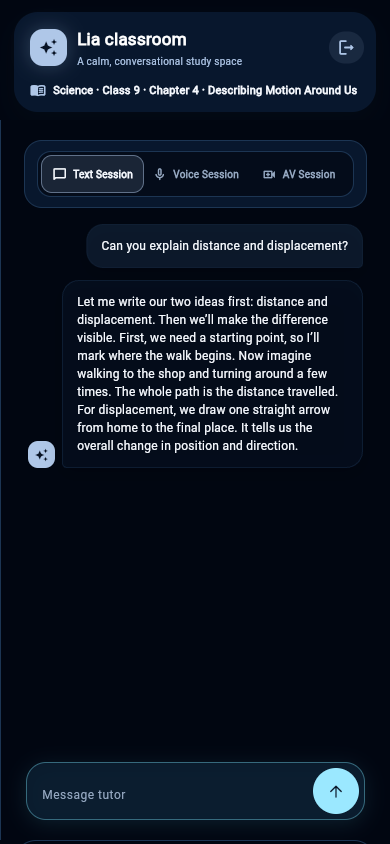
Text for a quiet, reviewable exchange
Text interaction supports a learner who wants to read a question and revisit an explanation. The captured local demonstration uses this mode and shows a conversation alongside the teaching board. It is a synthetic scripted response—not evidence of a live AI-provider response.
Voice and audiovisual modes
The application contains distinct voice and AV session paths and usage controls. The visible mode selector is not by itself proof that a provider is connected or available in a given school environment. Confirm provider readiness, network conditions, language support and device requirements before promising a live demo.
Student video is opt-in
Camera access is off by default. The learner must acknowledge parent/guardian or school permission and explicitly choose to turn video on before the browser requests access. The current classroom code treats the camera as a local preview and does not send frames to the tutor.
A practical school example
A learner using a shared device can begin with text. A school may evaluate voice for a language or accessibility need only after verifying the intended provider, consent process and fallback experience. No mode should be required when a simpler option serves the learner.